Your Homebase for AI.The secure all-in-one AI platform for organizations, teams and individuals — 20+ AI models in one workspace, one subscription.
Your staff is already using ChatGPT with your data
Without a secure solution, sensitive data is leaving your control daily. Here’s why organizations are switching to AI+ Pro:

- 01
Stop the data leakage
Staff paste confidential work into public AI tools. Give them the same models in infrastructure you own.
- 02
Meet compliance requirements
Your data stays compliant because it never leaves your control.
- 03
Productivity without the risk
Give teams the AI tools they want with the security you need.
- 04
Deploy in days, not months
Integrates with your existing infrastructure. No complex migrations required.
Use multiple AI models at once. Every leading model, one subscription, one workspace.
AI+ Pro is a multi-model AI platform. Run the same prompt across several models at once and compare outputs side by side to ensure accuracy — 20+ AI models in one place, under one subscription.
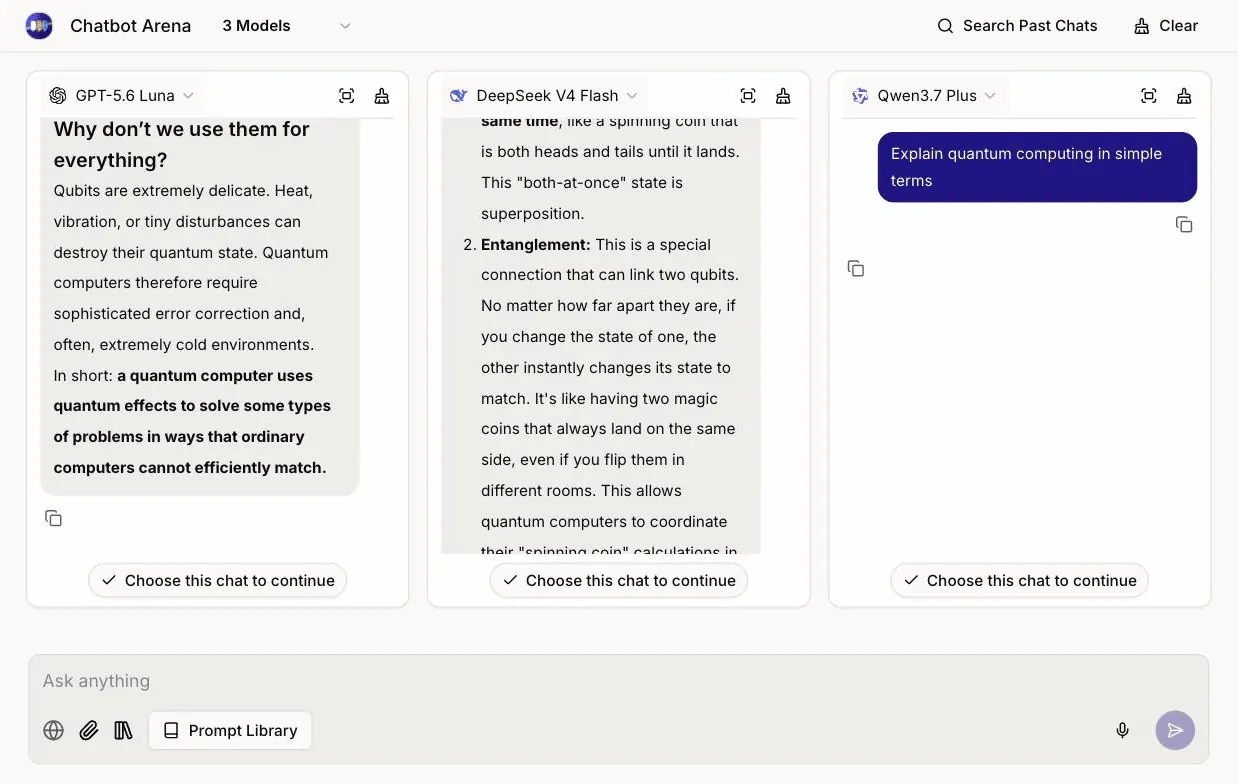
Switch models without losing the thread.
Change model mid-conversation and the context comes with you. Start on a fast model, escalate to a reasoning model when the question gets hard.
- You: Summarize the renewal risk in this contract.
- Gemini 3.6 Flash: Three clauses drive it: auto-renewal, the uplift cap, and exit terms.
- Model switched to Claude Opus 5 · Context carried
- You: Now draft the pushback email to the vendor.
- Claude Opus 5: Using those same three clauses, here is a draft that opens on the uplift cap.
In the workspace today
Commercial 7 · Open-weight 4
- 01Claude Opus 5Anthropic60.7
- 02Claude Fable 5Anthropic59.9
- 03GPT-5.6 SolOpenAI58.9
- 04Kimi K3MoonshotAI57.1
- 05Grok 4.5xAI53.8
- 06GPT-5.6 LunaOpenAI51.2
- 07GLM 5.2Z.ai51.1
- 08Gemini 3.6 FlashGoogle50.1
- 09DeepSeek V4 FlashDeepSeek49.9
- 10MiniMax M3MiniMax44.4
- 11Qwen3.7 PlusQwen39.0
Mix commercial and open-weight models based on your organization’s privacy, cost, and performance needs. New models land in your workspace without a new contract. Ranked by intelligence index · Artificial Analysis.
Your documents stay your competitive advantage.
Upload once, query across all your institutional knowledge with any AI model. Only small relevant snippets are used, so your full documents stay private. PDFs, Word, PowerPoint, Excel, CSV, TXT, Markdown, JSON and XML — plus JPG and PNG for vision-enabled models.
Projects keep the work together.
Files, chats and prompts for one piece of work, in one shared place.
One answer from the web and your files at once.
The Hybrid Answer Engine grounds a single reply in both.
Connect the tools the work already lives in.
Google Drive and Monday.com are switched on today. The rest are built and rolling out.
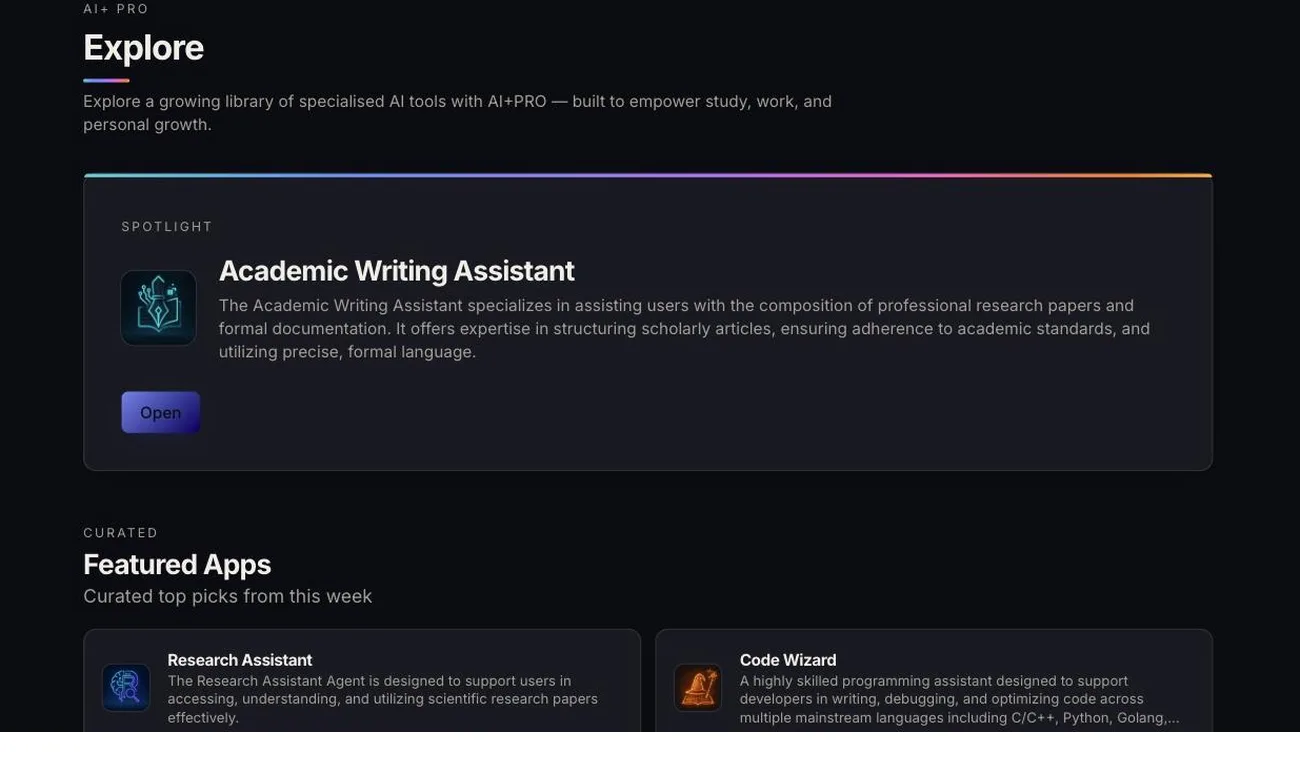
All the AI tools in one workspace. Start productive immediately, no prompt engineering required.
Pre-built apps for RFP responses, contract review, and research synthesis, plus the tools to make and keep your own.
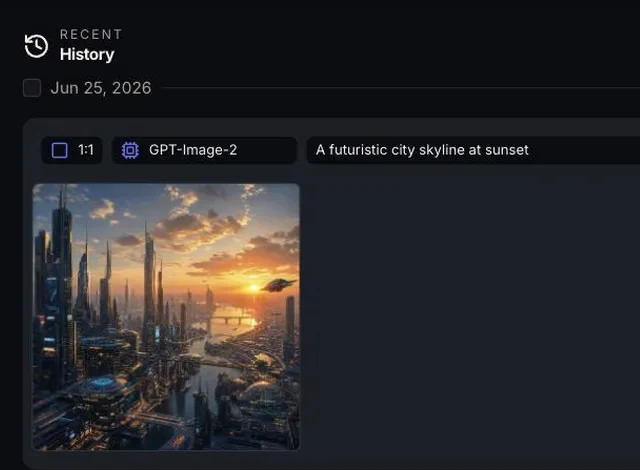
Enterprise AI behind your firewall — an AI aggregator, not a model company.
The same powerful AI models. Complete data sovereignty. Deploy in your environment and keep total control.
We are not a model company. We have zero commercial interest in your data. We don’t train models; we orchestrate them.

Your infrastructure
AWS, Azure, GCP
Your data center
Air-gapped option, zero external access
Isolated tenant
Fully managed
Full visibility into AI usage, costs, and compliance.
One admin console holds the whole program — who has access, what they run, and what it costs.
Per department
Image gen off for Legal
Every query, retained
SSO · SCIM
Permissions and audit
Role-based permissions at user, team and department level, with an audit log that keeps every query.
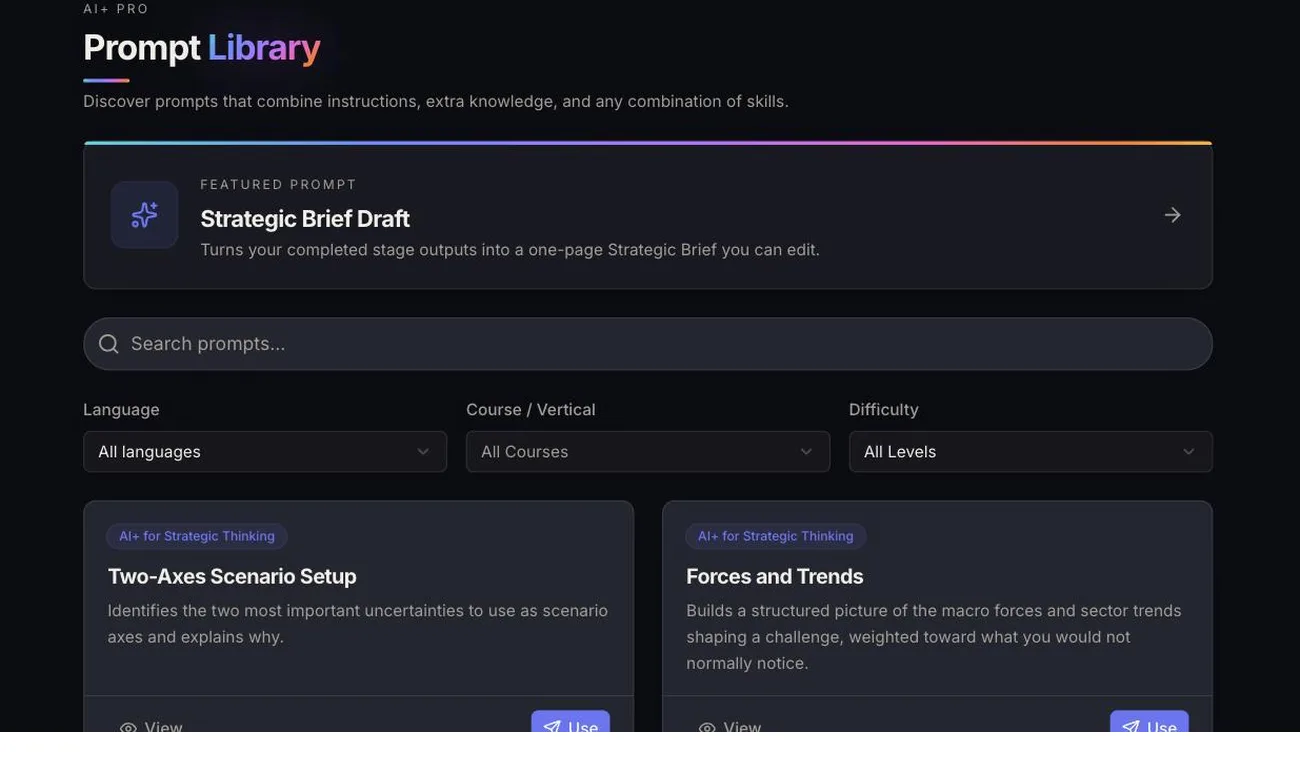
Shared prompts and templates
One shared library of prompts, templates and knowledge, so what works for one team is there for the next.
Model and feature policy
Control which AI models different users can reach, restrict features by security policy, and revoke access instantly when people change roles.
Seats, storage and spend
Departments, seats, storage quotas and per-user usage in one admin view, so the bill and the behavior are both visible.
The platform your staff work in is the platform they learn in.
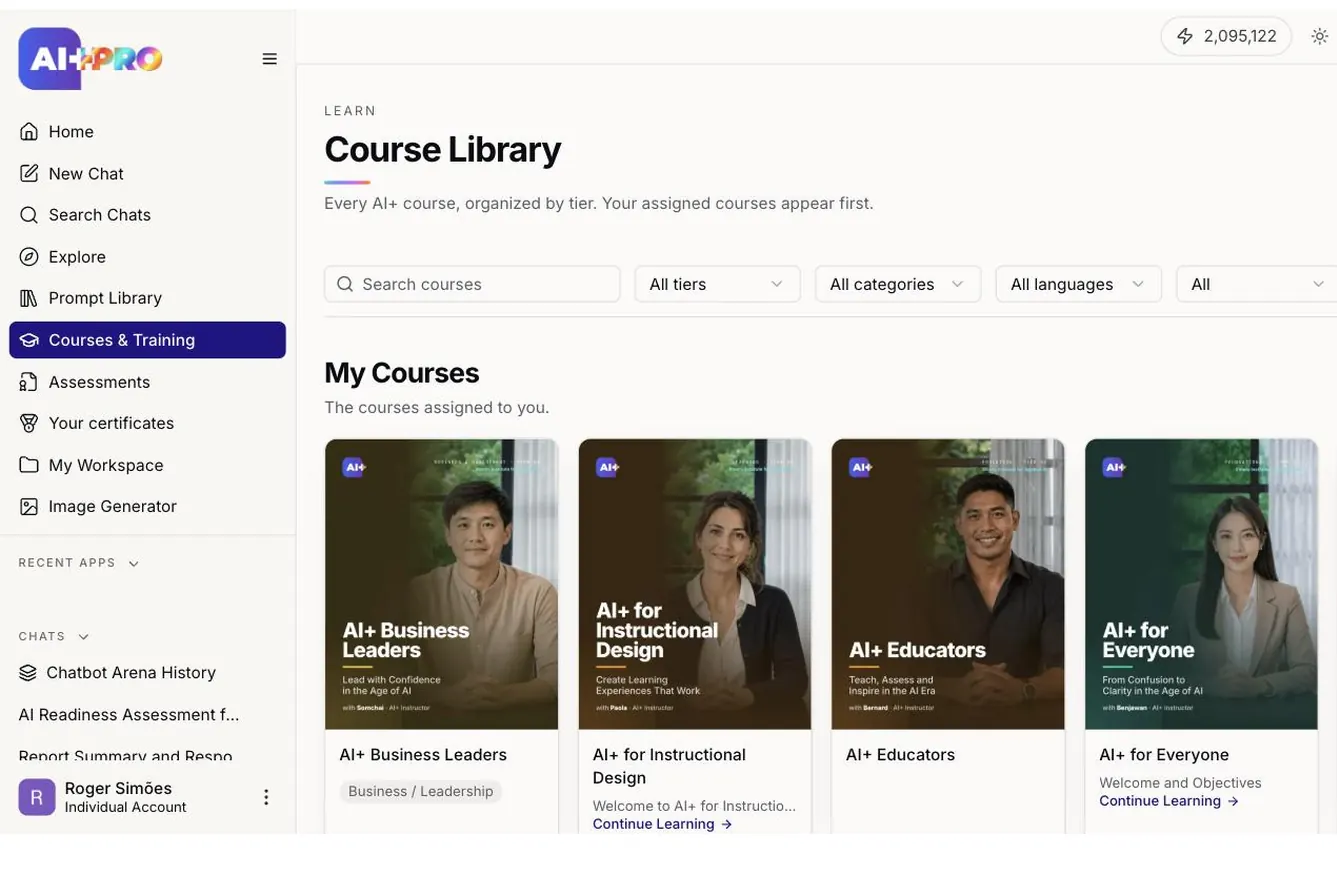
A full training system, built into the workspace. No separate LMS to buy, log into or administer — the same accounts, the same permissions and the same admin console as the rest of the workspace.
AI+ for Everyone
AI+ At Work: Foundations
AI+ for Students
AI+ for Business Owners
AI+ for Managers
AI+ At Work: Advanced
AI+ Communication
Assign
Course libraries go out per user, team or department.
Learn
Video, article, slides, quiz or a guided chat with a model.
Assess
Timed final exams with a pass mark and limited attempts.
Certify
A PDF certificate with its own serial, issued by the Straits Institute for Applied AI.
Report
Cohort progress, at-risk and stalled learners, CSV export.
The same secure workspace, in their pocket.
Native apps for iPhone and Android. Same account, same models, same admin controls.
Start using AI today — without risking your data.
Run the pilot on your own documents, under your own security review, on your infrastructure or ours.
One all-in-one AI subscription, three editions sized to the rollout.
Every leading model under one subscription. Start with a free trial today, or a guided pilot; widen when it proves out.
Questions rollout teams ask about all-in-one AI platforms and AI aggregators
What is AI+ Pro?
AI+ Pro is an all-in-one AI platform for organizations, teams, and individuals that need versatility, security, and real results. It helps users produce better work, build essential AI skills, and complete tasks efficiently — while ensuring your data remains yours.
Can I use multiple AI models at once?
Yes. You get access to 20+ leading models, spanning the major commercial and open-weight families, and can run the same prompt across several of them simultaneously to compare quality, reasoning, and speed side by side. The roster on the homepage is fetched live, so it always names what is actually in the workspace today.
Is AI+ Pro an AI aggregator?
Yes — AI+ Pro is not a model company. It orchestrates 20+ commercial and open-weight models in one governed workspace, under one subscription, with zero commercial interest in your data and no training on it.
How is AI+ Pro different from consumer AI tools?
It is one workspace for text, image, research, and workflows, inside a secure environment your organization controls. Teams work with proprietary documents without exposing data outside the organization, staff build consistent AI skills through built-in training and guided prompts, and task-based apps and templates keep outputs standardized, trackable, and compliant.
What should an organization look for in an all-in-one AI platform?
Where the data is stored (institution-owned storage, private cloud, or managed cloud — with AI+ Pro, you choose), role-based permissions at user, team and department level, an audit log of every query, no external training on your data, and infrastructure designed to support GDPR, CCPA, PDPA and industry-specific requirements.
Can AI+ Pro search the web and my files at the same time?
Yes — AI+ Pro uses a Hybrid Answer Engine that combines web search with your internal documents in one response. You get answers that are accurate, up-to-date, and fully grounded in your organization’s own information.
What happens to my files after I upload them?
Files are processed within your approved infrastructure and remain under your control. They’re used only to answer your specific queries through RAG and are not shared with other users or organizations, used to train AI models, accessible to third parties, or retained longer than your data retention policy specifies.
Who is AI+ Pro built for?
Institutions and enterprises scale AI with governance and privacy protection; professionals and teams draft, research, and analyze faster and more securely. Librarians and learning centers get a safe, controlled AI workspace, educators support teaching with structured AI tools, and students build practical AI skills with guided practice.